
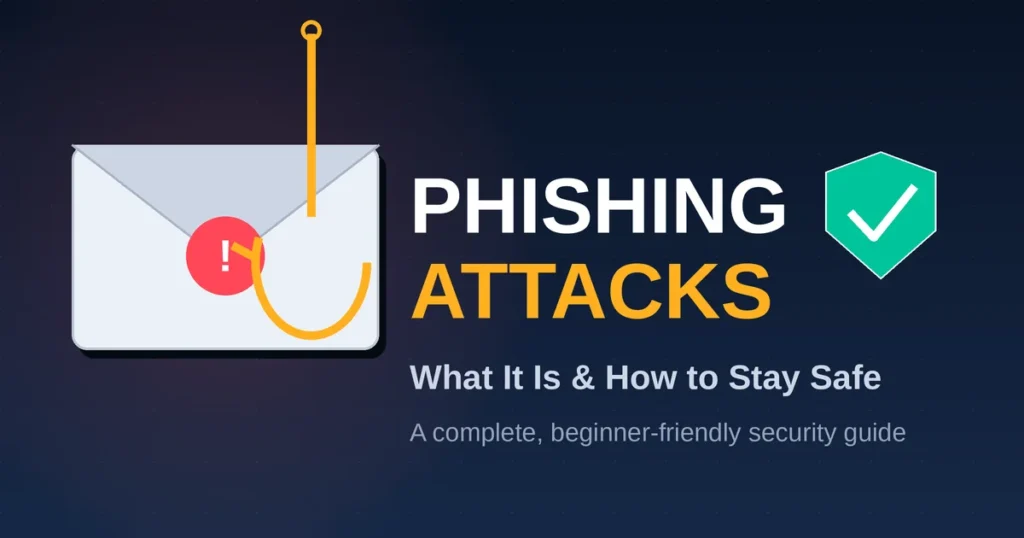
A phishing attack is a scam where someone impersonates a trusted source — a bank, a coworker, a delivery company — to trick you into handing over passwords, money, or personal data. It’s the single most common way criminals break into accounts and networks today. This guide explains how phishing works, shows real examples, and gives you a step-by-step plan to stay protected.
What Is a Phishing Attack?
A phishing attack is a type of cybercrime where an attacker sends a fake message — usually an email, text, or chat — designed to look like it came from someone you trust. The goal is almost always the same: get you to click a malicious link, download an infected file, or type your login details into a fake page.
The word “phishing” is a deliberate twist on “fishing.” Attackers cast a wide net of fake messages and wait for someone to bite. In my experience reviewing security incidents, the messages that work best aren’t the obviously sloppy ones — they’re the ones that create urgency, like a “suspicious login” alert or an “invoice overdue” notice.
Phishing isn’t a single technique; it’s a category that includes email scams, fake text messages, fraudulent phone calls, and even malicious QR codes. Verizon’s 2025 Data Breach Investigations Report found that phishing plays a role in roughly 36% of all confirmed data breaches, making it the leading entry point attackers use to get inside organizations.
What makes phishing dangerous isn’t sophisticated hacking — it’s psychology. Attackers exploit trust, fear, and time pressure faster than most people can stop and think.
Why Phishing Still Works in 2026
Phishing succeeds because it targets human judgment, not software flaws. No firewall can stop someone from typing their password into a page that looks exactly like their bank’s login screen. According to research aggregated by cybersecurity firm StationX, the median time it takes someone to click a phishing link after it lands in their inbox is just 21 seconds — barely enough time to read the message, let alone verify it.
Generative AI has made the problem worse. Security vendor Keepnet reported that more than 80% of phishing emails detected in late 2025 and early 2026 showed signs of AI generation, up sharply from under 5% a year earlier. AI tools strip out the spelling mistakes and awkward phrasing that used to give scams away, which is part of why click rates on AI-written phishing emails run noticeably higher than on traditionally written ones.
There’s also a scale problem that didn’t exist a few years ago. Researchers at Hoxhunt, who track threat data across millions of users, found that AI-assisted phishing volume jumped from roughly 4% of observed emails in November 2025 to more than half by December 2025. In my own review of incident write-ups from that period, the shift wasn’t just about better writing — attackers were also generating dozens of message variations per campaign, testing which version got the highest click rate, then scaling up the winner automatically.
It’s also worth being clear about who actually gets targeted. Phishing isn’t reserved for careless or untrained users. Research tracking executive-targeted attacks found that senior leaders are notably more likely to be hit with personalized, AI-driven phishing than average employees, largely because their calendars are public, their authority carries weight, and a single successful message against them can authorize a large payment instantly.
How Do Phishing Attacks Work? Step-by-Step
A phishing attack typically moves through five stages: research, lure creation, delivery, the trap itself, and exploitation of whatever was stolen. Understanding each stage makes it much easier to spot an attack before it does damage.
- Research and target selection. Attackers pick a target — sometimes a random mass list, sometimes a specific person — and gather details from social media, company websites, or previous data breaches to make the message believable.
- Crafting the lure. The attacker builds a message that mimics a real brand or contact, often copying logos, email formatting, and tone from the legitimate organization.
- Delivery. The message goes out by email, SMS (smishing), voice call (vishing), social media DM, or even a QR code placed in a public location (quishing).
- The trap. The victim clicks a link to a fake login page, opens an infected attachment, or is talked into sharing a one-time passcode or making a payment.
- Exploitation. Once the attacker has credentials, payment details, or network access, they move quickly — draining accounts, selling stolen data, or pivoting deeper into a company’s systems before anyone notices.
Here’s what that looks like in a real-world scenario: an employee receives an email that appears to come from their company’s IT department, warning that their account will be locked unless they “verify” their password within 24 hours. The link leads to a near-perfect copy of the company’s actual login page. The employee types in their credentials, the page redirects them to the real site so nothing looks wrong, and the attacker now has full access — often before anyone reports anything unusual.
Why Urgency Is the Attacker’s Favorite Tool
Urgency works because it short-circuits careful thinking. Phrases like “act now,” “your account will be suspended,” or “final notice” are designed to make you react instead of verify. I’ve found that the single most reliable way to slow down is to treat any message demanding immediate action as a reason to pause, not a reason to hurry.
How to Spot a Fake Link Before You Click
A fake link is the heart of most phishing attacks, and it’s also the easiest part to verify if you know what to check. Look at the domain right before the first single slash — that’s the part that matters, not anything that comes after it.
For example, “yourbank.com.secure-login.net” is not your bank’s website; the real domain is “secure-login.net,” with “yourbank” used only to create a false sense of trust. Watch for small substitutions too, like a zero replacing the letter “o,” or an extra letter added to a familiar brand name. On a desktop, hovering over a link reveals the true destination in the bottom corner of your browser before you ever click it.
How to Stay Safe From Phishing Attacks: 10 Proven Steps
Staying safe from phishing comes down to verifying before you act, layering technical defenses, and building habits that catch suspicious requests automatically. None of these steps require advanced technical skill — they require consistency.
- Pause before clicking. Treat any message creating urgency or fear as a signal to slow down, not speed up.
- Check the sender’s actual email address, not just the display name. Attackers often use addresses that are one character off from the real domain.
- Hover over links before clicking to preview the real destination URL. On mobile, press and hold the link instead.
- Go directly to the website by typing the address yourself rather than clicking a link in an email or text.
- Enable multi-factor authentication (MFA) on every account that offers it — ideally an app-based or hardware-key method rather than SMS codes, which can be intercepted.
- Use a password manager so you never reuse passwords across sites. Reused passwords are why one phished login can lead to multiple compromised accounts.
- Keep software and browsers updated so known vulnerabilities used in phishing kits get patched automatically.
- Verify unusual requests through a second channel. If your “boss” emails asking for a wire transfer, call them on a known number before acting.
- Report suspicious messages to your email provider or IT/security team instead of just deleting them — this helps block the sender for others too.
- Run periodic phishing-awareness training if you manage a team. KnowBe4’s 2025 data shows that consistent training over 12 months cut phishing susceptibility from roughly 33% down to about 4%.
This list works best as a layered system. No single step blocks every attack, but combining a skeptical habit (steps 1–4) with technical safeguards (steps 5–7) and organizational practices (steps 8–10) closes most of the gaps attackers rely on.
Real Examples and Phishing Statistics You Should Know
Phishing isn’t a marginal threat — it’s the dominant method criminals use to breach accounts and networks, and the data backs that up clearly. Roughly 3.4 billion phishing emails are sent every single day, according to figures compiled from multiple 2026 industry reports, including Keepnet and VIPRE.
A few data points stand out for what they reveal about how the threat is evolving:
- Financial impact is rising fast. The FBI’s Internet Crime Complaint Center reported $2.77 billion in business email compromise losses in 2024 alone, and newer figures from 2025 put BEC losses above $3 billion.
- Brand impersonation is concentrated. Microsoft is consistently the most impersonated brand in phishing campaigns, accounting for over 40% of impersonation attempts in recent Zscaler research, because so many organizations rely on Microsoft 365 logins.
- Mobile is the new frontier. SMS-based phishing (smishing) now makes up a meaningful share of all phishing activity, and SentinelOne’s 2026 data shows it grew sharply year-over-year as attackers exploit weaker mobile security habits.
- QR code phishing is surging. Microsoft Defender detected a 146% jump in QR code phishing detections between January and March 2026 alone, as “quishing” bypasses traditional link-scanning tools.
- New employees are at higher risk. Workers in their first year on the job are significantly more likely to click a phishing link than tenured staff, largely because they’re still learning who normal requests should come from.
One pattern I keep seeing in real incident reports: attackers don’t need to fool everyone. They need one person, out of thousands targeted, to click. That single click is frequently enough to trigger a costly breach, which is why even strong organizations with good filters still get hit.
A Real Phishing Example Worth Studying
A widely documented case involved attackers impersonating a company’s finance department, sending an “urgent” invoice email to an accounts payable employee. The email used the real vendor’s logo, referenced an actual project name pulled from a previous (unrelated) data leak, and requested a routine-sounding payment change. The employee updated the banking details as instructed, and the next legitimate payment went straight to the attacker’s account. Nothing about the email looked technically malicious — no malware, no suspicious attachment — which is exactly why a verification phone call would have stopped it.
Common Phishing Mistakes, Myths, and Attack Types Compared
The biggest mistake people make is assuming phishing always looks obviously fake. Modern phishing emails are grammatically clean, visually accurate, and often personalized using data from prior breaches, so “it looked legitimate” is no longer a reliable excuse.
Here are the myths that cause the most damage:
- “I’d never fall for it.” Confidence is actually a risk factor. Attackers count on people being too rushed or too sure of themselves to double-check.
- “Phishing is only email.” Attacks now span SMS, voice calls, social media, collaboration tools like Slack and Teams, and QR codes.
- “Antivirus software will catch it.” Security software blocks known malware, but it can’t stop you from voluntarily typing your password into a convincing fake page.
- “Only big companies get targeted.” Individuals and small businesses are targeted heavily precisely because they tend to have weaker defenses than large enterprises.
Different phishing types target different channels and require slightly different defenses. The table below compares the most common types.
| Attack Type | Delivery Channel | Typical Goal | Key Warning Sign |
|---|---|---|---|
| Email phishing | Steal login credentials | Mismatched sender domain | |
| Spear phishing | Email, personalized | Target a specific person or role | Unusually specific personal details |
| Smishing | SMS/text message | Steal credentials or payment info | Unexpected delivery or bank text with a link |
| Vishing | Phone call | Extract info via impersonation | Caller pressures you to act immediately |
| Quishing | QR code | Redirect to a fake login page | QR codes placed over legitimate ones |
| Whaling | Email, targets executives | Authorize fraudulent payments | Request bypasses normal approval steps |
Understanding which channel an attack uses helps you apply the right check. For email and SMS, verifying the sender and link destination catches most attempts. For voice calls, calling back on a known number is the most reliable defense, since voices — including AI-cloned ones — can be convincingly faked.
Frequently Asked Questions
What is the most common type of phishing attack? Email phishing remains the most common type, accounting for the largest share of reported incidents. Attackers favor email because it’s cheap to send at scale and easy to disguise as a trusted brand, bank, or coworker.
How can I tell if an email is a phishing attempt? Check the sender’s actual email address, look for urgent or threatening language, and hover over links before clicking to see the real destination. Legitimate organizations rarely demand immediate action through email alone.
What should I do if I clicked a phishing link? Disconnect from the internet, change your password immediately from a different device, and enable multi-factor authentication if you haven’t already. Report the incident to your IT team or the affected service provider right away.
Can phishing happen over text message? Yes, this is called smishing. Attackers send fake delivery alerts, bank warnings, or prize notifications by SMS to trick recipients into clicking malicious links on their phones, where security tools are often weaker.
Does multi-factor authentication fully stop phishing? MFA significantly reduces risk but isn’t foolproof, since advanced attacks can intercept one-time codes through fake login pages. App-based or hardware-key MFA offers stronger protection than SMS codes.
Why do phishing emails look so realistic now? AI tools let attackers generate polished, error-free messages instantly and personalize them with data pulled from social media or previous data breaches, removing the spelling mistakes that used to be easy red flags.
Are small businesses really at risk from phishing? Yes — small businesses are frequent targets precisely because they often lack dedicated security teams and email filtering tools that larger enterprises use, making basic email scams more likely to succeed.
What’s the difference between phishing and spear phishing? Phishing casts a wide net with generic messages sent to many people, while spear phishing targets a specific individual using personal details to make the message far more convincing and harder to spot.
Conclusion
Phishing attacks succeed by exploiting trust and urgency, not technical weaknesses, which means awareness and verification are your strongest defenses. Slow down before clicking unexpected links, verify requests through a second channel, and turn on multi-factor authentication everywhere it’s offered. Start today: pick one account without MFA enabled and turn it on right now — it’s the single highest-impact step you can take against phishing.
Explore fresh content that brings value—start reading and push forward with unstoppable drive.