
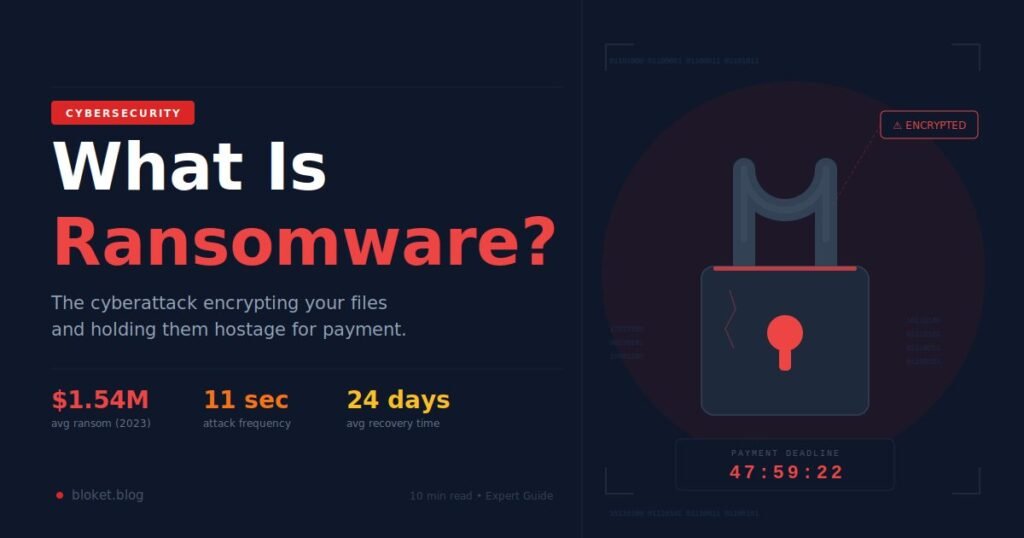
Every 11 seconds, a business gets hit by a ransomware attack. That figure comes from Cybersecurity Ventures, and it’s been holding steady for years — because ransomware works, pays well, and keeps getting smarter.
Ransomware is malware that encrypts your files and demands payment before you can access them again. It has shut down hospitals, fuel pipelines, school districts, and individual laptops across every industry. If you’ve never quite understood what it is, how it spreads, or whether you’re at risk — this guide covers all of it without the jargon.
What Exactly Is Ransomware?
Ransomware is malicious software that encrypts your files or locks your device, then demands payment — typically in cryptocurrency — to restore access. It’s digital extortion: your data is held hostage until you pay a ransom. Both businesses and individuals get targeted, and size offers no protection.
The word itself is self-explanatory: ransom + ware (software). Once ransomware runs on your machine, it silently scrambles every document, photo, spreadsheet, and database it can reach. Your files don’t disappear — they become unreadable without a specific decryption key that only the attacker holds.
Then comes the ransom note. Sometimes it’s a text file dropped on the desktop. Sometimes it hijacks your entire screen. It tells you how much to pay, where to send the money (usually Bitcoin or Monero), and how long you have before the price doubles or the files are destroyed permanently.
The Main Types of Ransomware
Not all ransomware works the same way. Here’s what’s actually out there:
| Type | What It Does | Real-World Example |
|---|---|---|
| Crypto ransomware | Encrypts files; demands key to unlock | WannaCry (2017) |
| Locker ransomware | Locks the entire device, not just files | Reveton |
| Double extortion | Encrypts AND steals data to publish | Maze, REvil |
| Ransomware-as-a-Service | Criminal groups sell attack kits to affiliates | LockBit, Conti |
| Mobile ransomware | Targets Android and iOS devices | Fusob |
The most dangerous evolution is double extortion, which emerged around 2019. Attackers don’t just encrypt your files — they copy them out first. Even if you restore from backup, they can still threaten to publish sensitive data publicly unless you pay. That’s two problems where there used to be one.
How Does Ransomware Get Onto Your Device?
Ransomware almost always enters through a predictable set of doors. Understanding these is how you close them before an attack happens.
The Five Most Common Entry Points
1. Phishing emails
This is the single most common delivery method. A fake invoice, a shipping notification, an HR document, a DocuSign request that looks real — one click on the attachment or link downloads the ransomware. I’ve seen corporate incident reports where the entire infection chain started with a single employee opening a fake FedEx email. The sender domain was off by one letter. Nobody caught it.
2. Remote Desktop Protocol (RDP) vulnerabilities
RDP lets people access a Windows machine remotely. If a system has RDP exposed to the internet with a weak or reused password, attackers will find it — automated scanners probe for open RDP ports around the clock. Based on incident response data from Coveware and Mandiant, RDP exploits account for roughly 20-25% of ransomware entry points in any given quarter.
3. Unpatched software
WannaCry in 2017 exploited a Windows vulnerability called EternalBlue. Microsoft had released the patch two months earlier. The 230,000 systems that got infected simply hadn’t applied it. This exact scenario keeps playing out with different software and different CVEs every year.
4. Malicious downloads
Cracked software, pirated games, fake browser extension updates, and shady file-sharing links regularly carry ransomware bundled inside what looks like a legitimate file. If you downloaded something from an unofficial source, there’s real risk attached.
5. Supply chain attacks
Attackers compromise a software vendor and push ransomware through that vendor’s legitimate update channel to every customer at once. The Kaseya VSA attack in July 2021 hit 1,500+ businesses this way — not because those organizations did anything wrong, but because their IT management software provider was compromised.
What Happens After Ransomware Gets In
The execution sequence is faster than most people expect:
- Execution — Runs silently in the background with no visible signs
- Privilege escalation — Attempts to gain admin-level access for wider reach
- Reconnaissance — Maps your network, locates valuable targets and backups
- Lateral movement — Spreads to other machines and shared network drives
- Data exfiltration — (In double extortion attacks) Copies files out to attacker servers
- Encryption — Scrambles every file it can reach
- Ransom note — Reveals itself with payment instructions and a deadline
Sophisticated attackers often stay dormant inside a network for days or weeks before triggering the encryption phase. They’re waiting until they’ve spread to everything worth encrypting. By the time the ransom note appears, the infection may be months old.
Real Ransomware Attacks — What They Actually Cost
Numbers make this concrete. Here are three real attacks that illustrate what ransomware does when it lands.
Colonial Pipeline — May 2021
The DarkSide ransomware group hit Colonial Pipeline’s IT systems, and the company responded by shutting down 5,500 miles of fuel pipeline running along the US East Coast. Gas prices spiked across multiple states. Lines formed at stations. Colonial paid $4.4 million in Bitcoin within days. The FBI later recovered about $2.3 million of it.
The entry point was a single compromised VPN password. There was no multi-factor authentication on that account.
WannaCry — May 2017
Over one weekend, WannaCry encrypted systems in 150 countries. The UK’s National Health Service was among the worst affected — hospitals rerouted ambulances and cancelled approximately 19,000 appointments. Damage estimates run from $4 billion to $8 billion globally.
The entire attack exploited an unpatched Windows vulnerability that had been fixed two months earlier.
Kaseya VSA — July 2021
REvil ransomware demanded $70 million for a universal decryption key — the largest single ransom demand at the time. Supermarkets in Sweden had to close locations because their point-of-sale systems were encrypted. The attack spread through IT management software used by hundreds of managed service providers simultaneously.
The Numbers Behind the Threat
- Average ransom payment in 2023: $1.54 million, up from $812,380 the year before (Sophos State of Ransomware 2024)
- Only 8% of organizations that paid a ransom recovered all their data (Sophos)
- Average downtime following an attack: 24 days
- Most targeted sectors: healthcare, education, and government
That 24-day downtime figure catches most people off guard. Even if you never pay a cent, rebuilding systems, validating backups, and re-securing the network takes weeks. The operational cost of that downtime often exceeds the ransom itself.
Ransomware vs. Other Malware — Clearing Up the Confusion
People frequently conflate ransomware with viruses, hacking, or general malware. Here’s how it actually differs.
| Threat | Primary Goal | Visible to Victim? | Demands Payment? |
|---|---|---|---|
| Ransomware | Extortion through encryption | Yes — ransom note | Yes |
| Virus | Spread and corrupt files | Sometimes | No |
| Spyware | Steal data silently | No | No |
| Trojan | Create hidden backdoor | No | No |
| Worm | Self-replicate across networks | Sometimes | No |
| Adware | Display unwanted ads | Yes | No |
The key distinction: ransomware is a business model. Attackers have a financial incentive to follow through on decryption — at least sometimes — because if victims pay and get nothing, word spreads and future victims stop paying. Some ransomware groups actually operate “customer support” chat portals to help victims pay and decrypt. It’s deeply cynical and also oddly functional.
Myths That Get People Into Trouble
“I’m too small to be a target.” Attackers frequently prefer small and mid-sized organizations because they have fewer security resources. Coveware’s quarterly ransomware reports consistently show the majority of victims have fewer than 250 employees. Small ransoms add up fast when you can hit hundreds of small businesses.
“I’ll just pay and get my files back.” Only 8% of paying organizations recover all their data. Some attackers take the money and vanish. Others send a broken decryptor. Paying also signals that you’re willing to pay again — and some groups do come back.
“Macs don’t get ransomware.” LockBit released a macOS variant in 2023. macOS ransomware is less common than Windows, but it’s not hypothetical.
“My antivirus will catch it.” Antivirus is necessary but not sufficient. Modern ransomware uses polymorphic code that constantly reshuffles its signature, and techniques that hijack legitimate system tools like PowerShell and WMI. Traditional signature-based detection misses a lot of this. It’s a layer of defense, not a complete solution.
How to Actually Protect Yourself from Ransomware
Prevention costs a small fraction of recovery. These are the steps that work in practice.
For Individuals
Keep everything updated. Enable automatic updates for your operating system and all applications. The WannaCry pandemic was 100% preventable — the patch existed, systems just hadn’t applied it. Unpatched software is the single easiest win attackers get.
Follow the 3-2-1 backup rule. Three copies of your data, on two different types of media, with one stored offsite or offline. A backup that’s disconnected from your network — air-gapped — cannot be encrypted by ransomware. This is your most important protection if something does get through.
Enable multi-factor authentication (MFA) everywhere you can. The Colonial Pipeline attack could have been stopped with MFA on a single VPN account. Even if an attacker has your password, MFA blocks the login without the second factor from your phone. Enable it for email, banking, and any remote access tool first.
Be suspicious of email attachments. Check the actual sender email address, not just the display name. Call the person before opening unexpected attachments. Hover over links to see where they actually go before clicking. This sounds basic because it is, and most ransomware infections still start here.
Use a password manager. Unique, strong passwords for every account stop credential-stuffing attacks completely. Reusing passwords across sites means one breach unlocks everything.
For Businesses
Disable or restrict RDP. If remote access is needed, put it behind a VPN with MFA required. This closes one of the top two entry points immediately, with minimal operational disruption.
Segment your network. Divide your network so ransomware can’t travel freely between systems. On a flat network, ransomware that infects a single workstation can reach your servers, backup systems, and shared drives in minutes. Segmentation contains that spread.
Deploy EDR, not just antivirus. Endpoint Detection and Response tools monitor system behavior in real time. They catch ransomware by what it does — mass file encryption, process injection, lateral movement — rather than what it looks like. This catches strains that evade traditional antivirus entirely.
Run phishing simulations regularly. Phishing is the number-one entry point. Quarterly simulated phishing tests, followed by brief training for employees who click, measurably reduce click rates over time. One successful phishing click costs more than a year of training.
Have a tested incident response plan. Know who to call, which systems to isolate first, how to communicate with employees and customers, and what your insurance covers — before you need any of it. Organizations that practiced recover significantly faster than those that didn’t.
If You’re Already Infected
- Disconnect the infected machine from the network immediately — unplug ethernet, disable Wi-Fi
- Don’t shut the machine down — memory may contain encryption keys or forensic evidence
- Report to the FBI’s Internet Crime Complaint Center at ic3.gov and CISA at cisa.gov
- Check nomoreransom.org — free decryptors exist for dozens of ransomware strains
- Contact a ransomware incident response firm before deciding whether to pay
Frequently Asked Questions About Ransomware
What is ransomware in simple terms?
Ransomware is software criminals use to encrypt your files and demand money to restore access. It’s digital extortion: your data gets locked and held hostage until you pay. The payment is almost always demanded in cryptocurrency like Bitcoin to make it harder to trace. Both individuals and organizations get hit.
Should I pay a ransomware demand?
Most cybersecurity experts and the FBI advise against paying. Only 8% of victims who pay recover all their data, and payment marks you as a target for future attacks. Before deciding anything, check nomoreransom.org for free decryptors and consult an incident response professional — many ransomware situations have options that aren’t obvious in the moment.
Can ransomware spread through Wi-Fi to other devices?
Yes. Once inside a network, ransomware can spread to other connected machines using network shares, shared drives, and software vulnerabilities. This is why the first action after discovering an infection is to disconnect the affected machine from the network immediately — unplug ethernet, disable Wi-Fi.
Does ransomware steal your data or just lock it?
It depends on the variant. Modern ransomware increasingly does both — a tactic called double extortion. Groups like Maze, REvil, and LockBit copy your files out before encrypting them, then threaten to publish sensitive data even if you restore from backups. That threat is separate from the encryption and doesn’t go away when you recover your systems.
How fast does ransomware encrypt files once it’s running?
The encryption phase itself can complete in minutes. However, the preparation phase — infiltration, reconnaissance, spreading through the network — often lasts days or weeks before any encryption starts. By the time the ransom note appears, the attack may have been running in the background for a long time.
Is ransomware the same as a virus?
Not technically. A virus replicates by attaching to other files. Ransomware is a distinct malware category focused on extortion. Some ransomware includes worm capabilities — WannaCry self-propagated across networks using EternalBlue — but the ransomware’s core function is encryption and payment demand, which is different from what a virus does.
Can you recover files without paying the ransom?
Sometimes yes. The No More Ransom project at nomoreransom.org provides free decryptors for dozens of known ransomware strains — it’s maintained by Europol and law enforcement agencies and worth checking first. If you have clean, recent backups stored offline, you can restore from those without paying at all. Law enforcement has also seized decryption infrastructure in some cases and released the keys publicly.
Who are the biggest ransomware groups active right now?
As of mid-2026, RansomHub, ALPHV/BlackCat, and Play are among the most active groups. LockBit faced significant law enforcement action in early 2024, disrupting its operations, though it has partially rebuilt. The Ransomware-as-a-Service model means new affiliates and brands emerge constantly — the landscape shifts faster than any single list can track.
The Bottom Line
Ransomware is profitable, scalable, and not going anywhere. The 2023 average payment of $1.54 million tells you everything about why it persists.
But it’s more preventable than most people realize. Offline backups, patching, multi-factor authentication, and phishing awareness address the vast majority of attack vectors. The organizations that avoid ransomware aren’t necessarily the ones with the biggest security budgets — they’re the ones that applied the basics and didn’t let them slip.
Start with one concrete step this week: confirm that automatic updates are turned on, or verify that your most recent backup actually completed and is stored somewhere offline. Those two actions alone put you ahead of most potential targets.
If you’ve already been hit and want to check whether a free decryptor exists for your strain, start at nomoreransom.org — it’s free, regularly updated, and has helped hundreds of thousands of victims recover without paying.
Stay on the right track with our direction-focused curated content.